ScatterChart
A scatter chart control.
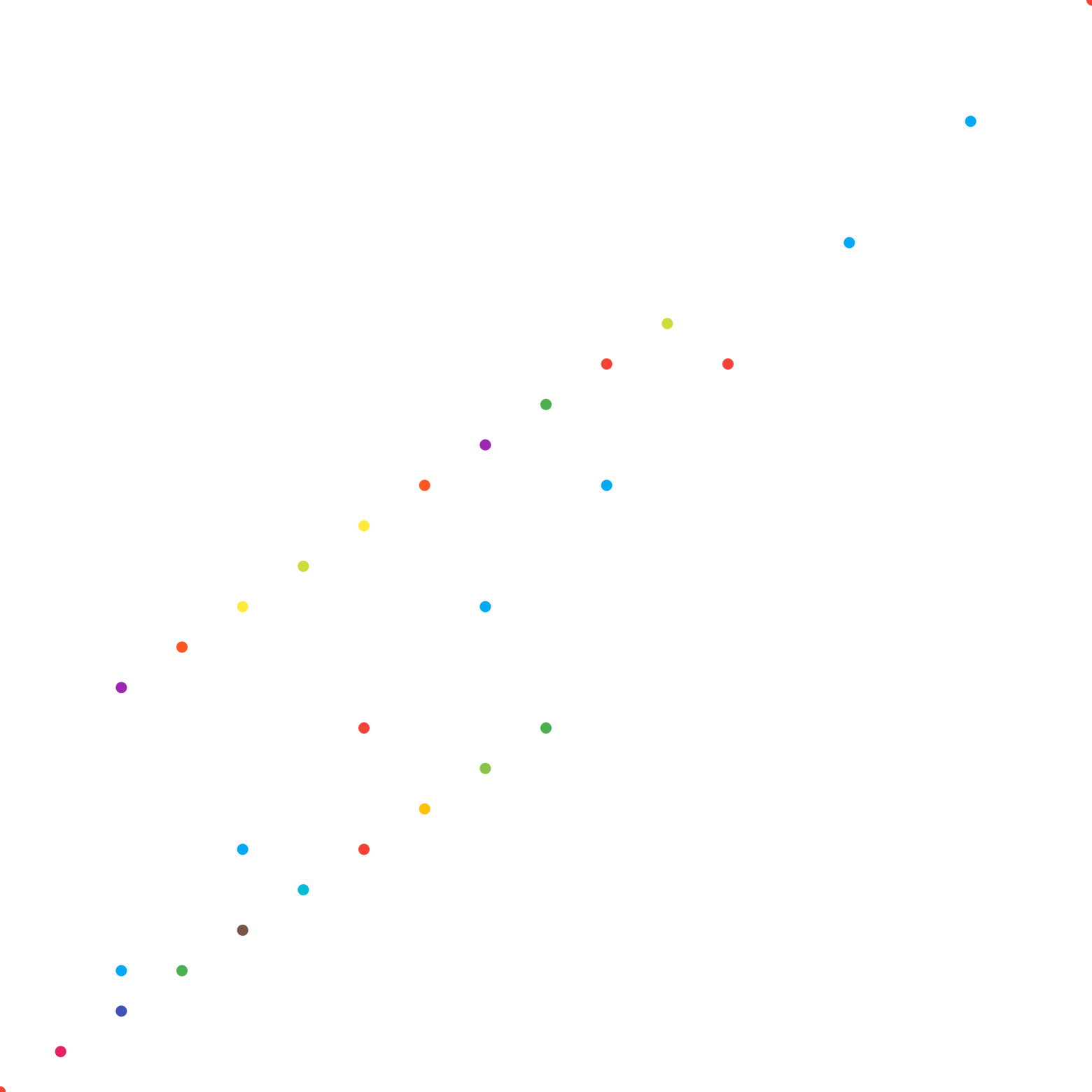
ScatterChart draws some points in a square space,
points are defined by ScatterChartSpots.
fch.ScatterChart(
    aspect_ratio=1.0,
    spots=[
        fch.ScatterChartSpot(
            x=random.uniform(4, 50),
            y=random.uniform(4, 50),
        )
        for _ in range(30)
    ],
)
Inherits: LayoutControl
Properties
animation- Controls chart implicit animation.baseline_x- The baseline value for X axis.baseline_y- Baseline value for Y axis.bgcolor- The chart's background color.border- The border around the chart.bottom_axis- Configures the appearance of the bottom axis, its title and labels.horizontal_grid_lines- Controls drawing of chart's horizontal lines.interactive- Enables automatic tooltips when hovering chart bars.left_axis- Configures the appearance of the left axis, its title and labels.long_press_duration- The duration of a long press on the chart.max_x- The maximum displayed value for X axis.max_y- The maximum displayed value for Y axis.min_x- The minimum displayed value for X axis.min_y- The minimum displayed value for Y axis.right_axis- Configures the appearance of the right axis, its title and labels.rotation_quarter_turns- Number of quarter turns (90-degree increments) to rotate the chart.show_tooltips_for_selected_spots_only- Whether to permanently and only show the tooltips of spots with theirselectedproperty set toTrue.spots- List ofScatterChartSpots to show on the chart.tooltip- The tooltip configuration for the chart.top_axis- Configures the appearance of the top axis, its title and labels.vertical_grid_lines- Controls drawing of chart's vertical lines.
Events
on_event- Called when an event occurs on this chart.
Examples
Scatter chart
import random

import flet as ft
import flet_charts as fch


class MySpot(fch.ScatterChartSpot):
    def __init__(
        self,
        x: float,
        y: float,
        radius: float = 8.0,
        color: ft.Colors = None,
        show_tooltip: bool = False,
    ):
        super().__init__(
            x=x,
            y=y,
            radius=radius,
            color=color,
            show_tooltip=show_tooltip,
            selected=y == 43,
        )


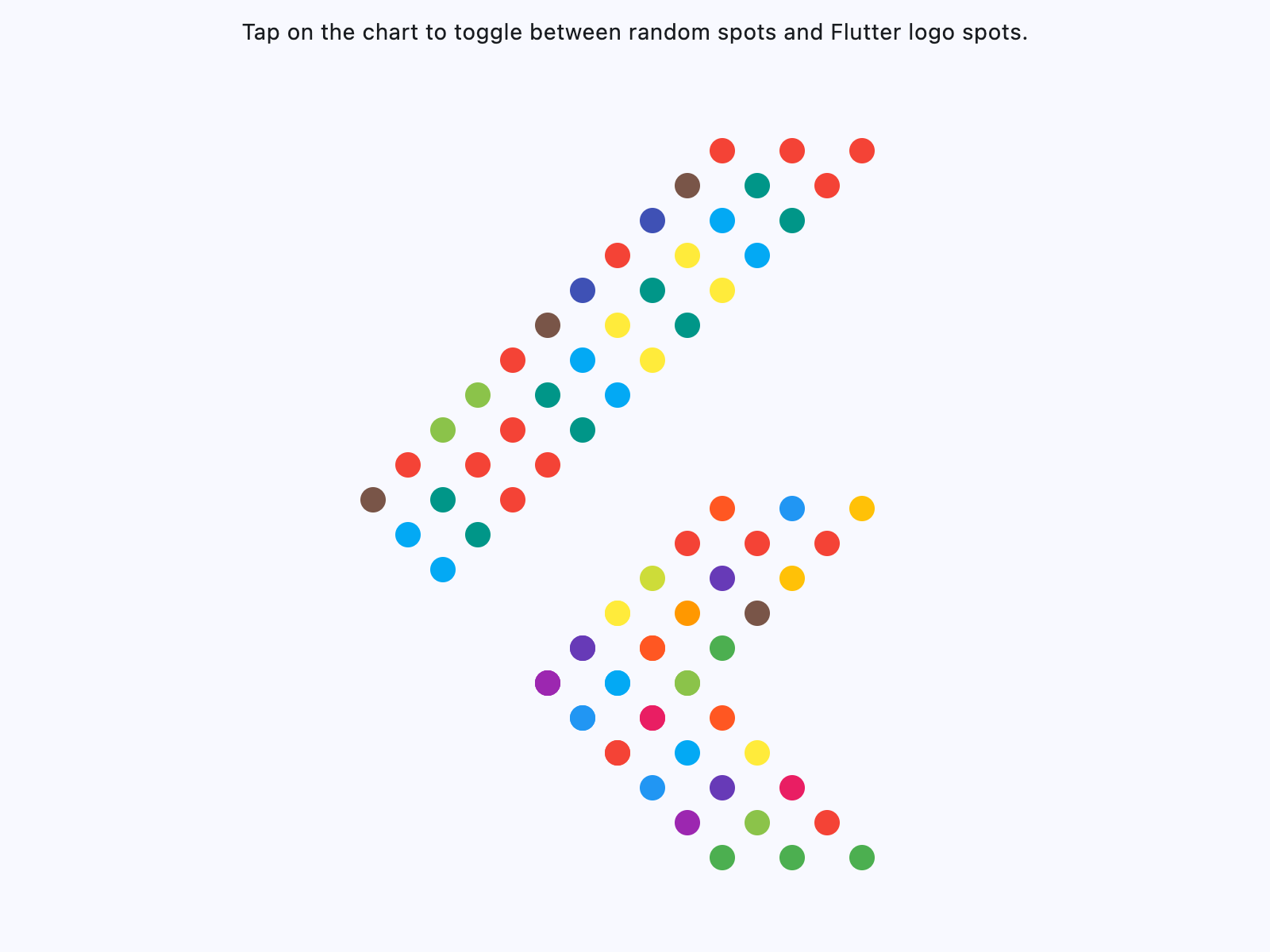
flutter_logo_spots = [
    MySpot(20, 14.5),
    MySpot(20, 14.5),
    MySpot(22, 16.5),
    MySpot(24, 18.5),
    MySpot(22, 12.5),
    MySpot(24, 14.5),
    MySpot(26, 16.5),
    MySpot(24, 10.5),
    MySpot(26, 12.5),
    MySpot(28, 14.5),
    MySpot(26, 8.5),
    MySpot(28, 10.5),
    MySpot(30, 12.5),
    MySpot(28, 6.5),
    MySpot(30, 8.5),
    MySpot(32, 10.5),
    MySpot(30, 4.5),
    MySpot(32, 6.5),
    MySpot(34, 8.5),
    MySpot(34, 4.5),
    MySpot(36, 6.5),
    MySpot(38, 4.5),
    #  section 2
    MySpot(20, 14.5),
    MySpot(22, 12.5),
    MySpot(24, 10.5),
    MySpot(22, 16.5),
    MySpot(24, 14.5),
    MySpot(26, 12.5),
    MySpot(24, 18.5),
    MySpot(26, 16.5),
    MySpot(28, 14.5),
    MySpot(26, 20.5),
    MySpot(28, 18.5),
    MySpot(30, 16.5),
    MySpot(28, 22.5),
    MySpot(30, 20.5),
    MySpot(32, 18.5),
    MySpot(30, 24.5),
    MySpot(32, 22.5),
    MySpot(34, 20.5),
    MySpot(34, 24.5),
    MySpot(36, 22.5),
    MySpot(38, 24.5),
    # section 3
    MySpot(10, 25),
    MySpot(12, 23),
    MySpot(14, 21),
    MySpot(12, 27),
    MySpot(14, 25),
    MySpot(16, 23),
    MySpot(14, 29),
    MySpot(16, 27),
    MySpot(18, 25),
    MySpot(16, 31),
    MySpot(18, 29),
    MySpot(20, 27),
    MySpot(18, 33),
    MySpot(20, 31),
    MySpot(22, 29),
    MySpot(20, 35),
    MySpot(22, 33),
    MySpot(24, 31),
    MySpot(22, 37),
    MySpot(24, 35),
    MySpot(26, 33),
    MySpot(24, 39),
    MySpot(26, 37),
    MySpot(28, 35),
    MySpot(26, 41),
    MySpot(28, 39),
    MySpot(30, 37),
    MySpot(28, 43),
    MySpot(30, 41),
    MySpot(32, 39),
    MySpot(30, 45),
    MySpot(32, 43),
    MySpot(34, 41),
    MySpot(34, 45),
    MySpot(36, 43),
    MySpot(38, 45),
]


def get_random_spots():
    """Generates random spots for the scatter chart."""
    return [
        MySpot(
            x=random.uniform(4, 50),
            y=random.uniform(4, 50),
            radius=random.uniform(4, 20),
        )
        for _ in range(len(flutter_logo_spots))
    ]


def main(page: ft.Page):
    page.horizontal_alignment = ft.CrossAxisAlignment.CENTER

    def handle_event(e: fch.ScatterChartEvent):
        if e.type == fch.ChartEventType.TAP_DOWN:
            e.control.spots = (
                flutter_logo_spots
                if (e.control.spots != flutter_logo_spots)
                else get_random_spots()
            )

    page.add(
        ft.SafeArea(
            expand=True,
            content=ft.Column(
                expand=True,
                controls=[
                    ft.Text(
                        "Tap on the chart to toggle between random spots and Flutter "
                        "logo spots."
                    ),
                    fch.ScatterChart(
                        expand=True,
                        aspect_ratio=1.0,
                        min_x=0.0,
                        max_x=50.0,
                        min_y=0.0,
                        max_y=50.0,
                        left_axis=fch.ChartAxis(show_labels=False),
                        right_axis=fch.ChartAxis(show_labels=False),
                        top_axis=fch.ChartAxis(show_labels=False),
                        bottom_axis=fch.ChartAxis(show_labels=False),
                        show_tooltips_for_selected_spots_only=False,
                        on_event=handle_event,
                        animation=ft.Animation(
                            duration=ft.Duration(milliseconds=600),
                            curve=ft.AnimationCurve.FAST_OUT_SLOWIN,
                        ),
                        spots=flutter_logo_spots,
                    ),
                ],
            ),
        ),
    )


if __name__ == "__main__":
    ft.run(main)
Scatter chart with error bars
import statistics

import flet as ft
import flet_charts as fch

# Five timings of one swing (in seconds) for each pendulum string length (in cm).
TIMINGS = {
    20: [0.84, 0.95, 0.90, 0.88, 0.93],
    40: [1.22, 1.33, 1.27, 1.25, 1.30],
    60: [1.50, 1.62, 1.55, 1.52, 1.58],
    80: [1.73, 1.86, 1.80, 1.76, 1.82],
    100: [1.94, 2.09, 2.00, 1.98, 2.03],
    120: [2.13, 2.29, 2.19, 2.17, 2.24],
}

# How far off each measured string length may be, in cm.
LENGTH_UNCERTAINTY = 3


def main(page: ft.Page):
    grid_color = ft.Colors.with_opacity(0.2, ft.Colors.ON_SURFACE)

    spots = []
    for length, timings in TIMINGS.items():
        mean = statistics.fmean(timings)
        spots.append(
            fch.ScatterChartSpot(
                x=length,
                y=mean,
                radius=6,
                color=ft.Colors.INDIGO,
                tooltip=f"{mean:.2f} s",
                x_error=fch.ChartErrorRange.symmetric(LENGTH_UNCERTAINTY),
                y_error=fch.ChartErrorRange(
                    lower_by=mean - min(timings),
                    upper_by=max(timings) - mean,
                ),
            )
        )

    page.add(
        ft.SafeArea(
            expand=True,
            content=ft.Column(
                expand=True,
                controls=[
                    ft.Text(
                        "Mean period of a pendulum over five timings. Vertical bars "
                        "span the fastest and slowest timing, horizontal bars the "
                        f"±{LENGTH_UNCERTAINTY} cm uncertainty of the string length."
                    ),
                    fch.ScatterChart(
                        expand=True,
                        min_x=0,
                        max_x=140,
                        min_y=0.5,
                        max_y=2.5,
                        border=ft.Border.all(1, grid_color),
                        horizontal_grid_lines=fch.ChartGridLines(
                            interval=0.5, color=grid_color, width=1
                        ),
                        vertical_grid_lines=fch.ChartGridLines(
                            interval=20, color=grid_color, width=1
                        ),
                        left_axis=fch.ChartAxis(
                            title=ft.Text("Period (s)"),
                            title_size=24,
                            label_spacing=0.5,
                            label_size=40,
                        ),
                        bottom_axis=fch.ChartAxis(
                            title=ft.Text("String length (cm)"),
                            title_size=24,
                            label_spacing=20,
                            label_size=28,
                            show_max=False,
                        ),
                        spots=spots,
                    ),
                ],
            ),
        )
    )


if __name__ == "__main__":
    ft.run(main)
Properties
animationclass-attributeinstance-attribute
animation: AnimationValue = field(
    default_factory=lambda: Animation(
        duration=Duration(milliseconds=150),
        curve=AnimationCurve.LINEAR,
    )
)
Controls chart implicit animation.
baseline_xclass-attributeinstance-attribute
baseline_x: Number | None = NoneThe baseline value for X axis.
baseline_yclass-attributeinstance-attribute
baseline_y: Number | None = NoneBaseline value for Y axis.
bgcolorclass-attributeinstance-attribute
bgcolor: ColorValue | None = NoneThe chart's background color.
bottom_axisclass-attributeinstance-attribute
bottom_axis: ChartAxis | None = NoneConfigures the appearance of the bottom axis, its title and labels.
horizontal_grid_linesclass-attributeinstance-attribute
horizontal_grid_lines: ChartGridLines | None = NoneControls drawing of chart's horizontal lines.
interactiveclass-attributeinstance-attribute
interactive: bool = TrueEnables automatic tooltips when hovering chart bars.
left_axisclass-attributeinstance-attribute
left_axis: ChartAxis | None = NoneConfigures the appearance of the left axis, its title and labels.
long_press_durationclass-attributeinstance-attribute
long_press_duration: DurationValue | None = NoneThe duration of a long press on the chart.
max_xclass-attributeinstance-attribute
max_x: Number | None = NoneThe maximum displayed value for X axis.
max_yclass-attributeinstance-attribute
max_y: Number | None = NoneThe maximum displayed value for Y axis.
min_xclass-attributeinstance-attribute
min_x: Number | None = NoneThe minimum displayed value for X axis.
min_yclass-attributeinstance-attribute
min_y: Number | None = NoneThe minimum displayed value for Y axis.
right_axisclass-attributeinstance-attribute
right_axis: ChartAxis | None = NoneConfigures the appearance of the right axis, its title and labels.
rotation_quarter_turnsclass-attributeinstance-attribute
rotation_quarter_turns: Number = 0Number of quarter turns (90-degree increments) to rotate the chart.
Ex: 1 rotates the chart 90 degrees clockwise,
2 rotates 180 degrees and 0 for no rotation.
show_tooltips_for_selected_spots_onlyclass-attributeinstance-attribute
show_tooltips_for_selected_spots_only: bool = FalseWhether to permanently and only show the tooltips of spots with their
selected property set to True.
spotsclass-attributeinstance-attribute
spots: list[ScatterChartSpot] = field(default_factory=list)List of ScatterChartSpots to show on the chart.
tooltipclass-attributeinstance-attribute
tooltip: ScatterChartTooltip = field(
    default_factory=lambda: ScatterChartTooltip()
)
The tooltip configuration for the chart.
top_axisclass-attributeinstance-attribute
top_axis: ChartAxis | None = NoneConfigures the appearance of the top axis, its title and labels.
vertical_grid_linesclass-attributeinstance-attribute
vertical_grid_lines: ChartGridLines | None = NoneControls drawing of chart's vertical lines.
Events
on_eventclass-attributeinstance-attribute
on_event: EventHandler[ScatterChartEvent] | None = NoneCalled when an event occurs on this chart.