Flet 0.81.0: Camera, CodeEditor, color pickers and more

Flet 0.81.0 is now available with new controls, better platform integration, and build workflow improvements.
Highlights in this release:
- New controls:
Camera,CodeEditor,PageView, color pickers,RotatedBox. - Advanced visual transitions with
Heroanimations andMatrix4transforms. - Better app packaging with
flet build ios-simulatorandflet build --artifact. ClipboardAPIs for images and files.- Web
FilePickersupport for direct file content (with_data=True). - Platform locale info and locale change events.
- New
LayoutControl.on_size_changeevent for size-aware UI.
How to upgrade
If you use pip:
pip install 'flet[all]' --upgrade
If you use uv with pyproject.toml and want to upgrade everything:
uv sync --upgrade
If you want to upgrade only Flet packages:
uv sync --upgrade-package flet \
  --upgrade-package flet-cli \
  --upgrade-package flet-desktop \
  --upgrade-package flet-web
On Linux, your project might use flet-desktop-light instead of flet-desktop. In that case, upgrade flet-desktop-light package instead.
Camera
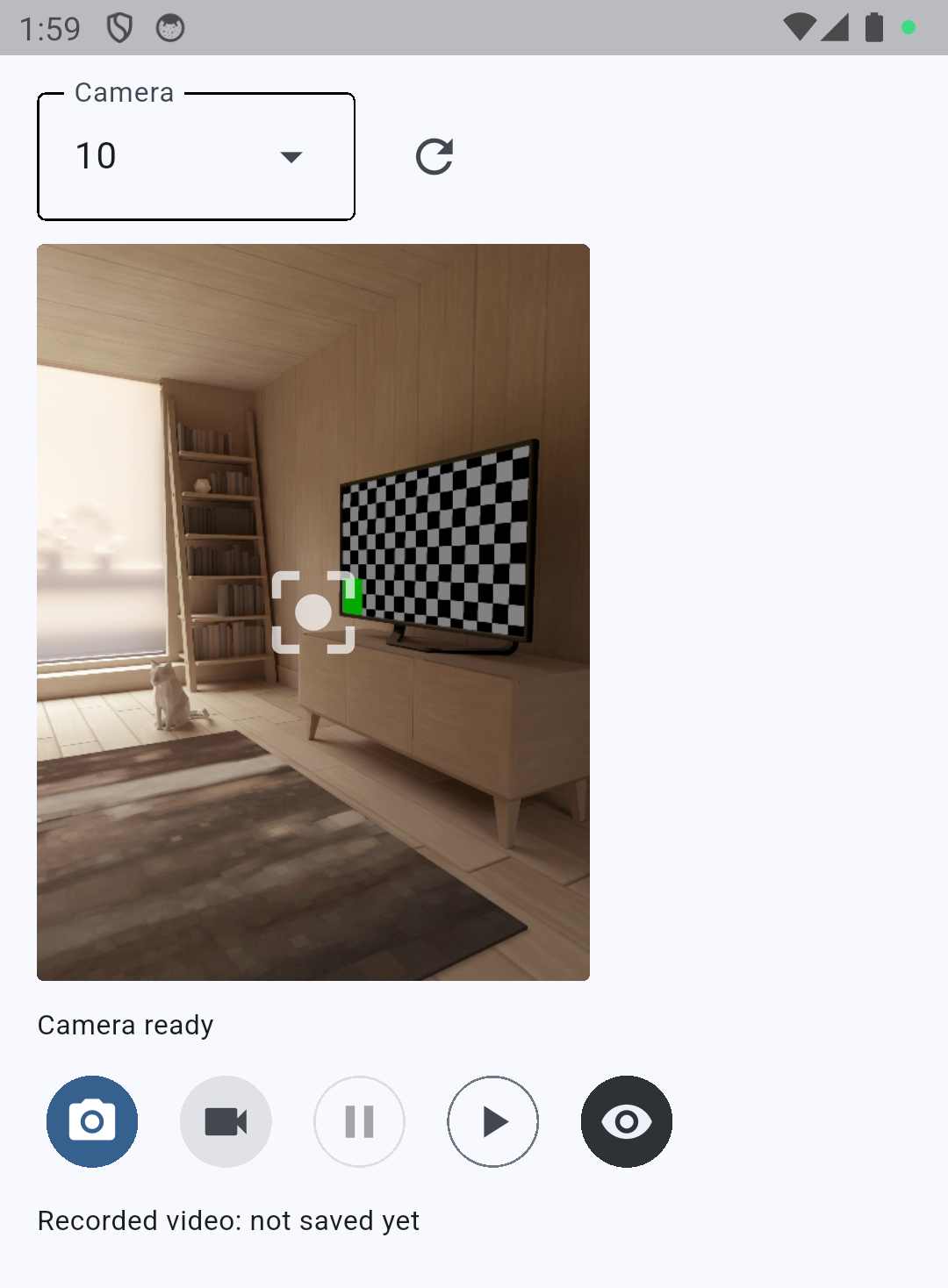
Camera is a new control for live camera preview, image capture, video recording, and frame streaming.
It is currently supported on web, iOS, and Android, which makes it practical for cross-platform scanning, media capture, and computer vision scenarios from a single Flet codebase.
import flet as ft
import flet_camera as fc


def main(page: ft.Page):
    page.add(
        fc.Camera(
            expand=True,
            preview_enabled=True,
        )
    )


ft.run(main)
More info:
- Docs: https://flet.dev/docs/camera/
- Issue: #6190
CodeEditor
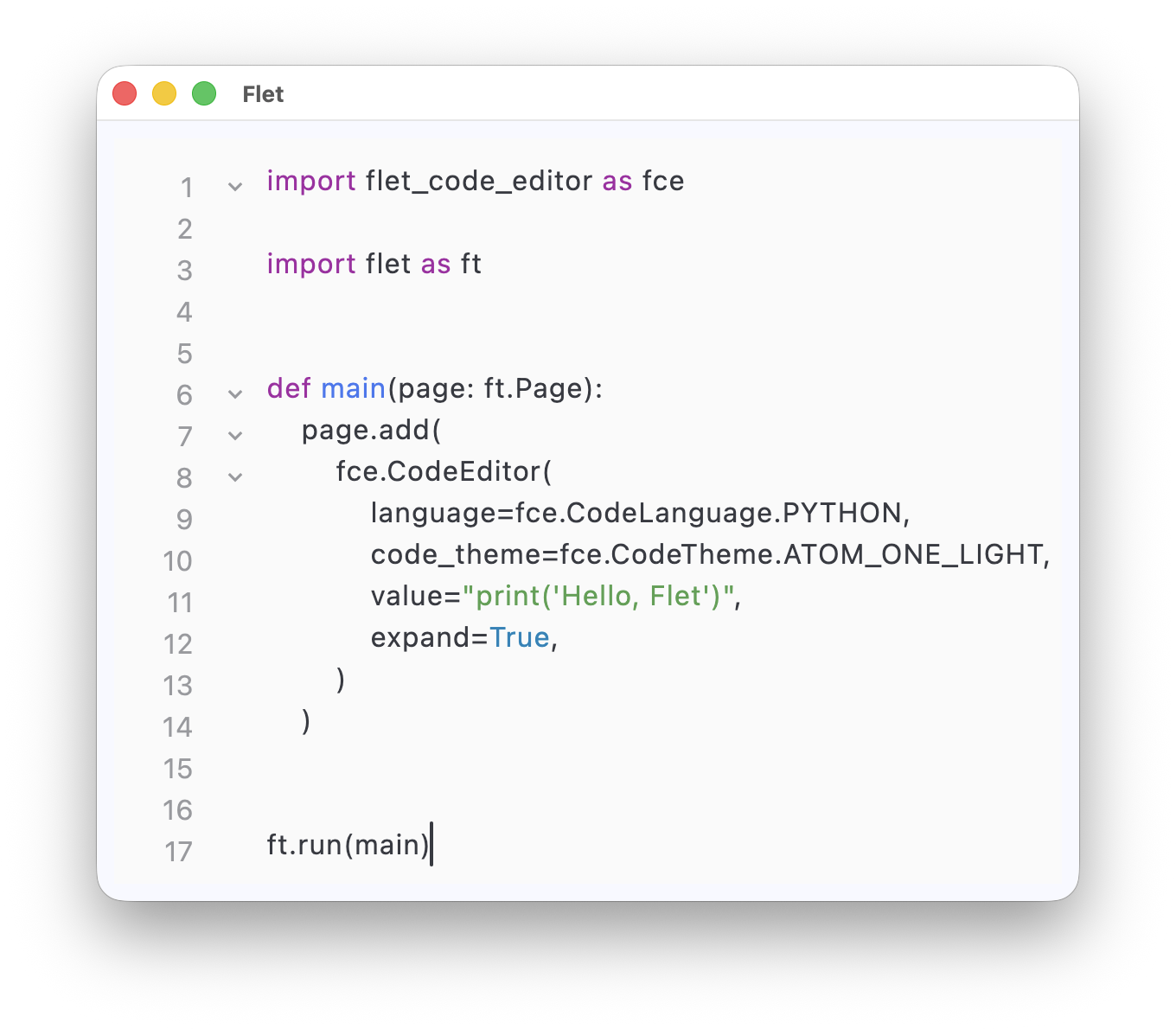
CodeEditor brings an embedded source editor into Flet apps.
This is useful for developer tools, education apps, playgrounds, and it is also part of the groundwork for the upcoming FletPad experience.
import flet as ft
import flet_code_editor as fce


def main(page: ft.Page):
    page.add(
        fce.CodeEditor(
            language=fce.CodeLanguage.PYTHON,
            code_theme=fce.CodeTheme.ATOM_ONE_LIGHT,
            value="print('Hello, Flet')",
            expand=True,
        )
    )


ft.run(main)
More info:
- Docs: https://flet.dev/docs/codeeditor/
- Issue: #6162
PageView
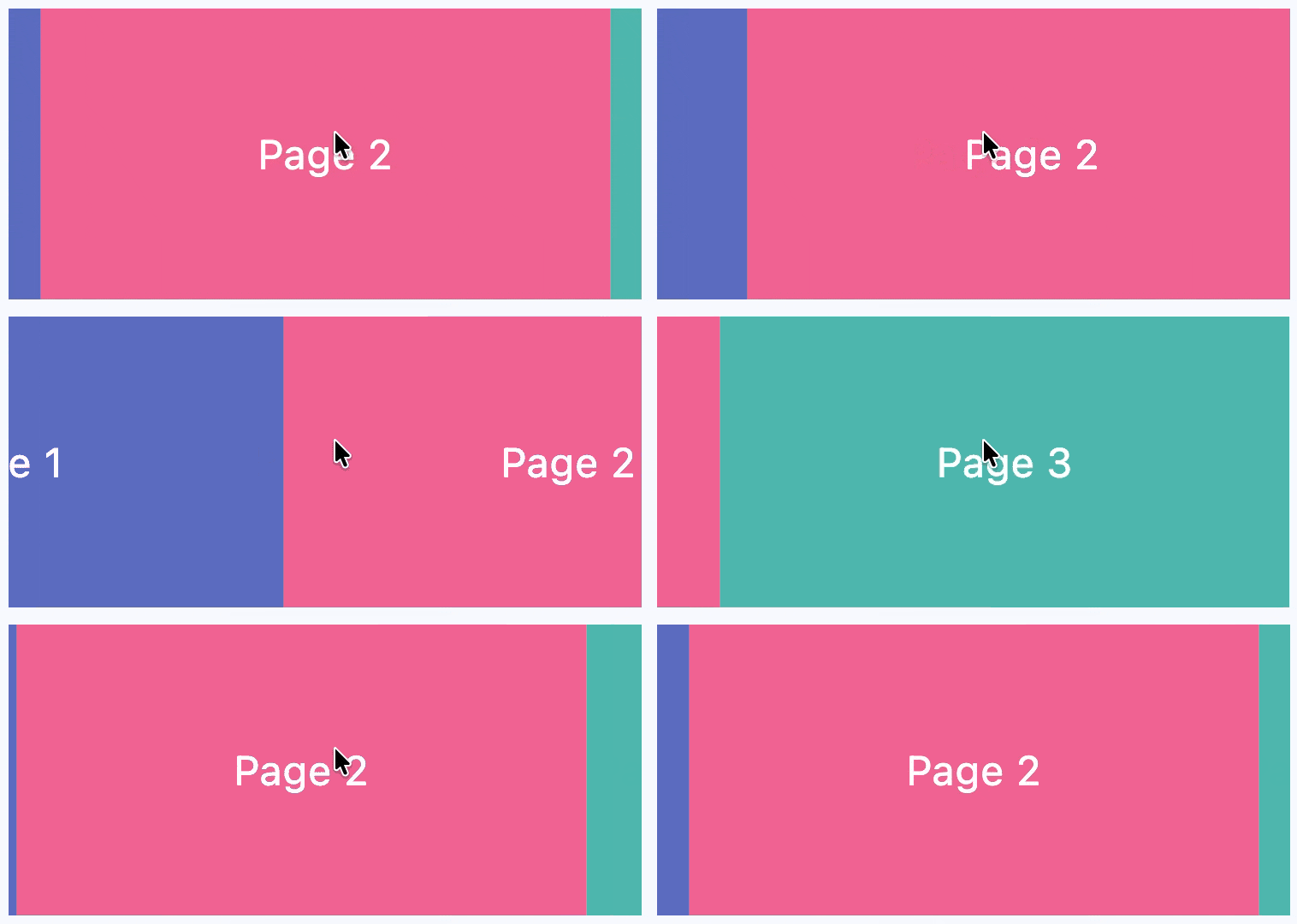
PageView provides swipe-based paging with viewport control and programmatic navigation.
It solves a common mobile-style UX need for onboarding, content carousels, step-by-step flows, and story-like interfaces.
import flet as ft


def main(page: ft.Page):
    page.add(
        ft.PageView(
            expand=True,
            viewport_fraction=0.9,
            selected_index=1,
            controls=[
                ft.Container(
                    bgcolor=ft.Colors.INDIGO_400,
                    alignment=ft.Alignment.CENTER,
                    content=ft.Text("Page 1", size=24, color=ft.Colors.WHITE),
                ),
                ft.Container(
                    bgcolor=ft.Colors.PINK_300,
                    alignment=ft.Alignment.CENTER,
                    content=ft.Text("Page 2", size=24, color=ft.Colors.WHITE),
                ),
                ft.Container(
                    bgcolor=ft.Colors.TEAL_300,
                    alignment=ft.Alignment.CENTER,
                    content=ft.Text("Page 3", size=24, color=ft.Colors.WHITE),
                ),
            ],
        )
    )


ft.run(main)
More info:
- Docs: https://flet.dev/docs/controls/pageview/
- Issue: #6158
Color pickers
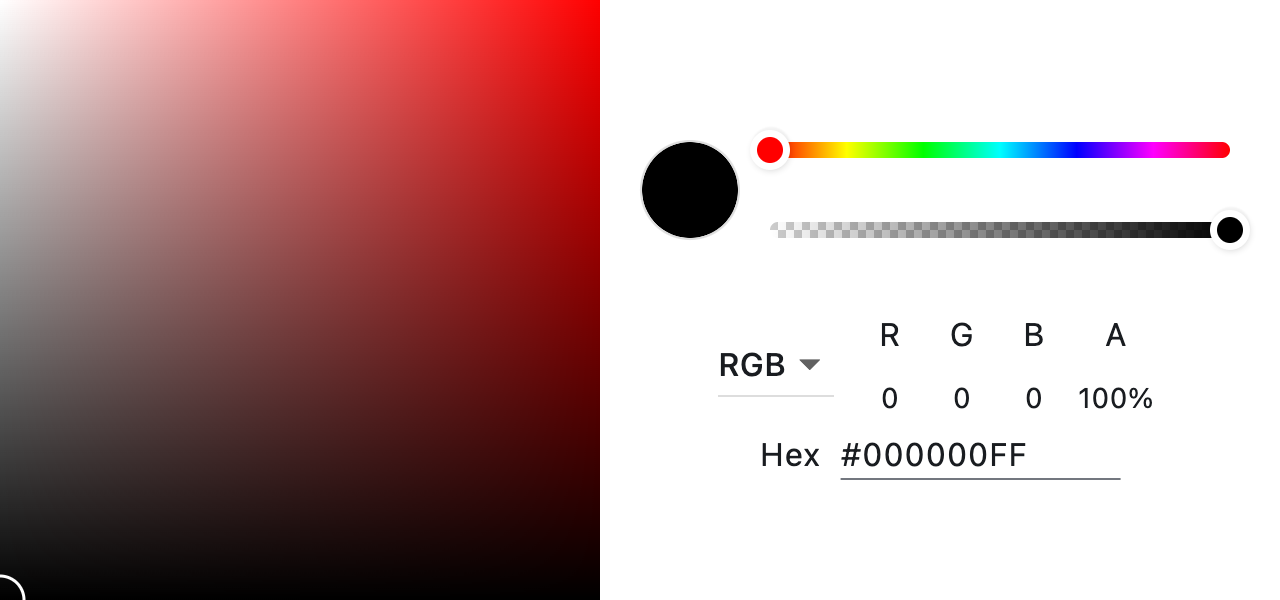
Flet now includes multiple color picker controls powered by flutter_colorpicker.
This makes it easier to build design tools, theming UIs, and customization dialogs without third-party integration work.
import flet as ft
from flet_color_pickers import MaterialPicker


def main(page: ft.Page):
    page.add(
        MaterialPicker(
            color="#ff9800",
            on_color_change=lambda e: print(e.data),
        )
    )


ft.run(main)
More info:
- Docs: https://flet.dev/docs/colorpickers/
- Issue: #6109
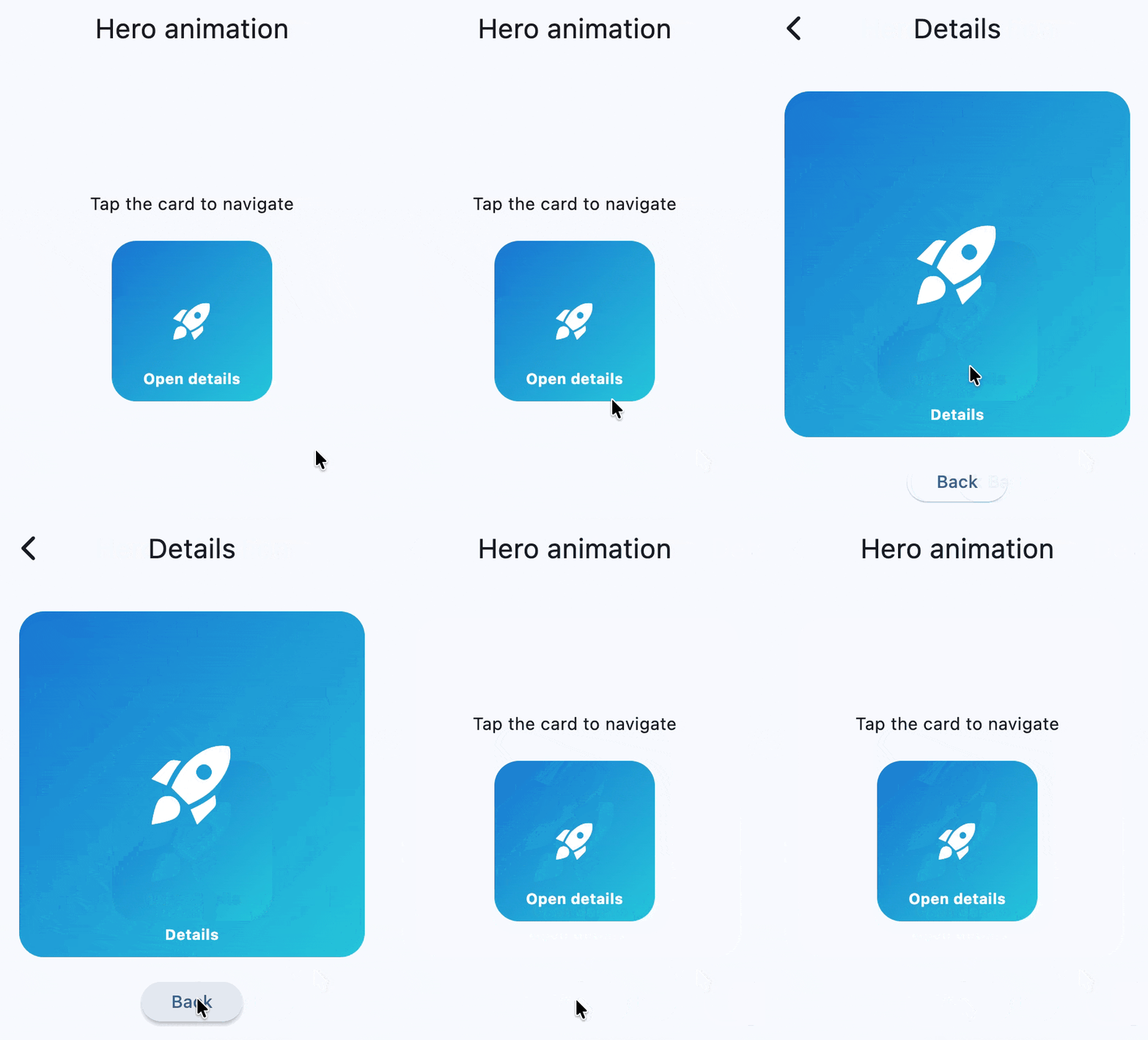
Hero animations
Hero animations add shared-element transitions between routes.
They solve abrupt navigation changes by visually connecting matching elements across screens, which improves perceived continuity and polish.
More info:
- Docs: https://flet.dev/docs/controls/hero/
- Issue: #6157
Matrix4 transforms and RotatedBox
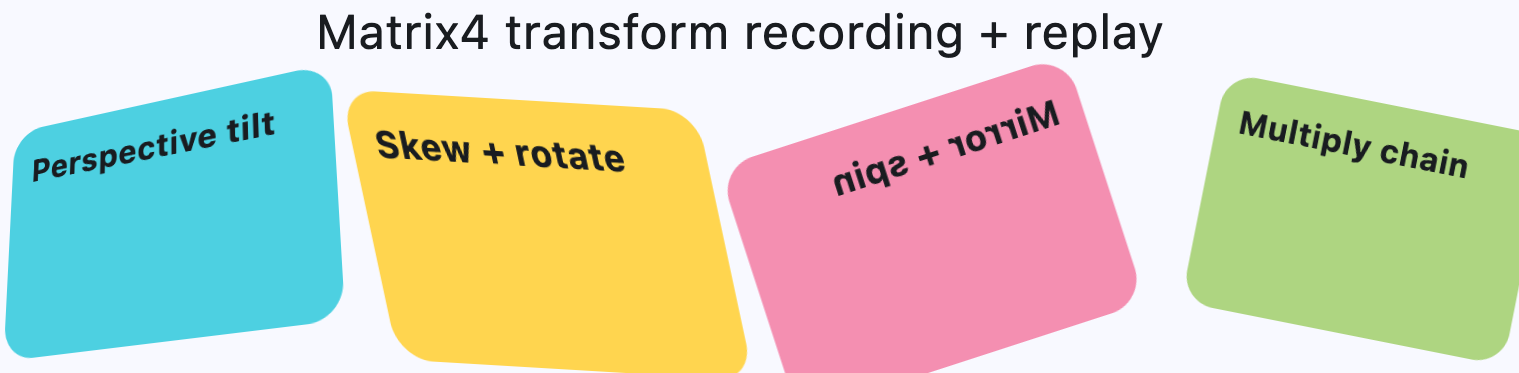
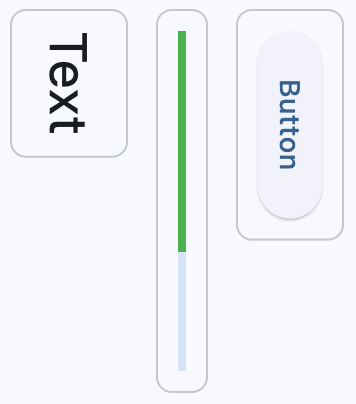
This release adds Matrix4-based transforms to LayoutControl.transform and introduces RotatedBox.
Together, they cover both advanced transform pipelines and layout-aware quarter-turn rotation. This helps when building rich interactions, visual effects, and precise UI compositions.
import flet as ft
from math import pi


def main(page: ft.Page):
    page.add(
        ft.Container(
            width=220,
            height=130,
            bgcolor=ft.Colors.CYAN_300,
            transform=ft.Transform(
                matrix=ft.Matrix4.identity().set_entry(3, 2, 0.0018).rotate_y(pi / 8)
            ),
        ),
        ft.RotatedBox(quarter_turns=1, content=ft.Text("Rotated")),
    )


ft.run(main)
More info:
LayoutControldocs: https://flet.dev/docs/controls/layoutcontrol/RotatedBoxdocs: https://flet.dev/docs/controls/rotatedbox/- Issue: #6198
Build workflow updates: iOS simulator target and artifact naming
Packaging for iOS simulator now produces an unsigned .app you can drag and drop into the simulator:
flet build ios-simulator
At the same time, flet build --artifact gives better control over output artifact naming without affecting bundle IDs:
flet build macos --artifact "My Awesome App"
More info:
- iOS simulator build: https://flet.dev/docs/publish/ios/#flet-build-ios-simulator
- Artifact name docs: https://flet.dev/docs/publish/#artifact-name
- Issues: #6188, #6074
Clipboard, FilePicker, locales, and size-aware layouts
This release improves app integration with operating systems and browsers:
Clipboardcan now get/set images and files.- Web
FilePickercan return picked file content asbyteswithwith_data=True. - Platform locales and locale change events are available.
LayoutControl.on_size_changehelps build size-aware UI logic.
import flet as ft


def main(page: ft.Page):
    async def pick_text_file(_):
        files = await ft.FilePicker().pick_files(with_data=True)
        print(files[0].bytes if files else None)

    page.add(ft.Button("Pick file", on_click=pick_text_file))


ft.run(main)
import flet as ft


def main(page: ft.Page):
    def handle_size_change(e: ft.LayoutSizeChangeEvent[ft.Container]):
        e.control.content.value = f"{int(e.width)} x {int(e.height)}"

    page.add(
        ft.Container(
            expand=True,
            content=ft.Text(),
            on_size_change=handle_size_change,
        )
    )


ft.run(main)
More info:
Clipboarddocs: https://flet.dev/docs/services/clipboard/FilePickerdocs: https://flet.dev/docs/services/filepicker/- Locale type docs: https://flet.dev/docs/types/locale/
LayoutControldocs: https://flet.dev/docs/controls/layoutcontrol/- Issues: #6141, #6199, #6191, #6099
Improvements
0.81.0 reduces memory churn in control diffing algorithm, which is especially important for web apps with frequent UI diffs.
- Optimize
object_patchmemory churn (#6204). - Add
ignore_up_down_keystoTextFieldandCupertinoTextField(#6183).
Other changes and bug fixes
- Bump Flutter to 3.41.2 (italic font finally looks nice!).
- Register MIME types for
.mjsand.wasm(#6140). - Skip component migrate/diff when function signatures differ (#6181).
- Fix memory leaks in Flet web app (#6186).
- Fix desktop window frameless/titlebar update sync and progress bar clearing (#6114).
- Fix first-time button
stylepatching and clear stale style state (#6119). - Fix map layer rebuilds on marker updates (#6113).
- Fix
AlertDialogandCupertinoAlertDialogbarrier color updates (#6097). - Fix
ControlEventruntime type hints (#6102).
Flet app update on mobile stores
An updated Flet app for testing on mobile devices is coming to the App Store and Google Play soon.
For now, see the current mobile testing guide: https://flet.dev/docs/getting-started/testing-on-mobile/
Conclusion
Flet 0.81.0 is focused on practical app-building features: richer UI controls, stronger system integration, and smoother build workflows.
Try it in your apps and share feedback in GitHub Discussions or on Discord.
Happy Flet-ing!