Flet Studio: build Python apps in your browser

Today we're launching Flet Studio — a browser-based IDE for writing, running, saving, and sharing Flet apps. Your Python code runs entirely in the browser, so there's no account required to try it and no local install required to run something a friend shared with you.
It started life as a playground for Flet apps, but turned out to be much more: a place to prototype, a gallery of editable examples, and a way to send someone a working app as just a link.
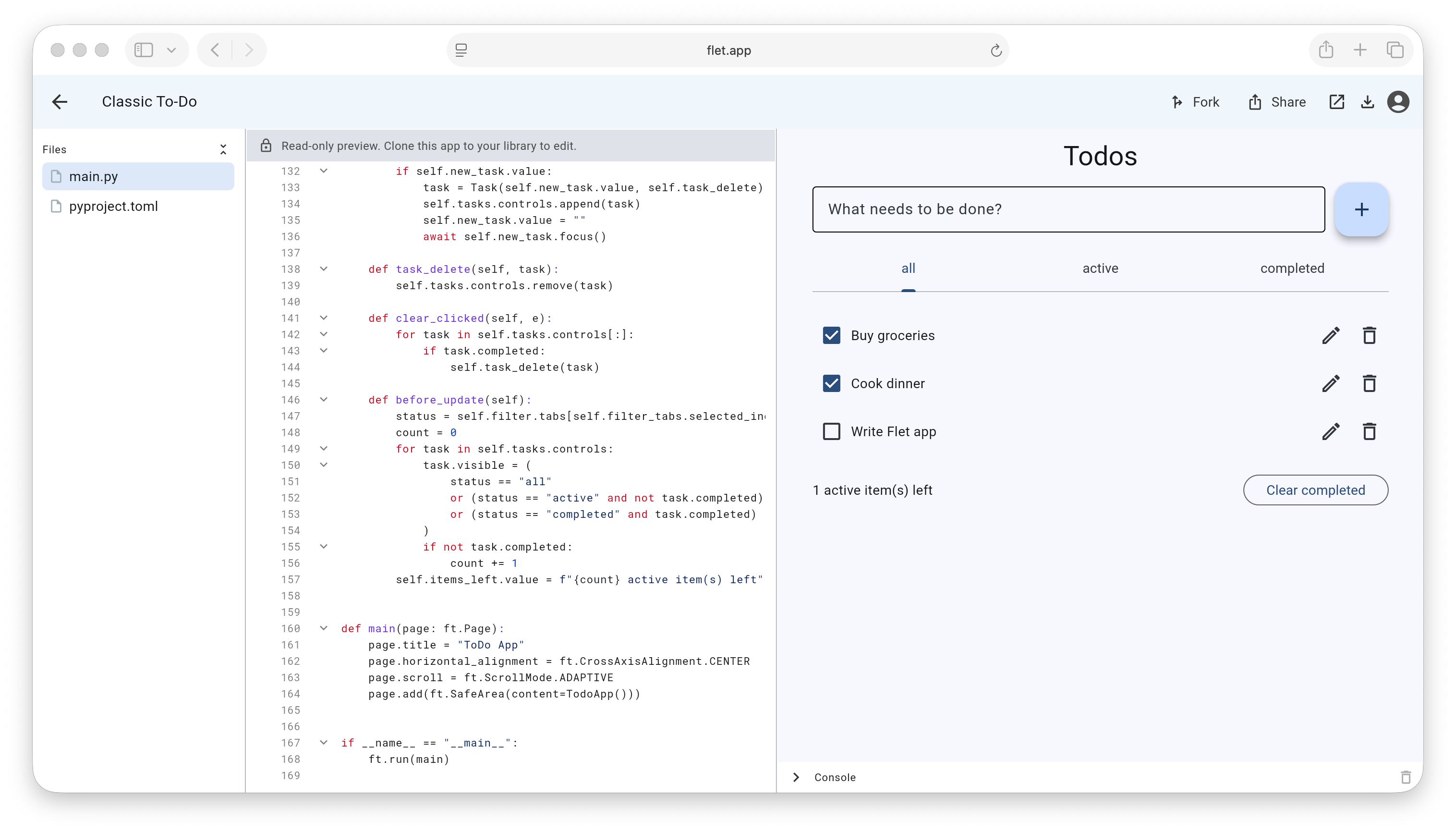
What you can do
- Run. The simplest thing is to just run a Flet example. Open any of the 500+ apps in the gallery, hit run, and watch it work — no setup, nothing to install.
- Create. When you find one you like, fork it and make it your own. Or start from a blank cross-platform template if you'd rather build from scratch. Either way you get a real project, not a single text box: there's a file browser, so multi-file apps work the way you'd expect.
- Versions. Studio auto-saves as you go, and whenever you reach a state worth keeping you can create a named version. If you break something later, just roll back to one of them.
- Share. Once you've got something worth showing, open the live view and share it as a link. Whoever you send it to can open it, run it, and read the code — no account, no install. Great for bug reports, quick design sketches, or just "hey, look at this".
- Console. Not every script draws a UI, and that's fine — anything you
print()shows up in a console pane, so plain Python scripts run here too. - Package. Further down the road we'd love to take you the rest of the way: packaging and publishing your app straight from the browser. That part's still cooking.
How it works
The whole thing runs in your browser, no server required:
- Your code runs in the browser. Flet Studio uses Pyodide — CPython compiled to WebAssembly — to execute your Python directly in the browser tab. Nothing you write is sent to a server to be run.
- There is a backend, but only for the IDE itself — file storage, authentication, accounts, and project metadata. Your app's Python code never executes on our servers; it runs client-side, in Pyodide.
- It's the real Flet web runtime. The rendering engine is the same one
flet publishandflet build webproduce — what you see in Studio is what you'd get from a published Flet static site.
FAQ
Does it replace local Flet development?
No. Studio is for trying Flet, prototyping small apps, sharing snippets, learning, and
showing off ideas. For everything else — desktop and mobile builds, native packages, big
multi-file projects, your favorite IDE and debugger, and the full Python ecosystem without
the Pyodide constraints above — install Flet locally and use flet run and flet build.
Is it just for web?
Nope! The new-app template and every gallery example are complete cross-platform Flet
projects with a pyproject.toml. Download an app as a zip, unpack it, run
uv run flet build apk, and you've got a working Android app — same for iOS, desktop, and
the web.
Where's the AI?
Coming! Wouldn't it be nice to just ask "add another button here and put a gradient background there", or "scaffold a simple app with 3 pages and a router"? That's where we're headed.
Try it
Open flet.app, build something, and share it. We'd love your feedback — drop it in GitHub Discussions or on Discord.
Happy Flet-ing!